what things to do after install ubuntu

Chit Ko Ko
Contributor
1 min read
သူငယ်ချင်းတို့ မင်္ဂလာနှစ်သစ်ပါ
Ubuntu 14.04 ကထွက်တော့မှာနော် . fresh installation လုပ်မှာလား ။ ဒါဆိုရင်တော့ /home directory ကိုအရင်ဆုံး backup လုပါ်ထားလိုက်ပါအုံး ။
ပြီးတော့ installation ပေါ့နော့်
ပြီးတာနဲ့လုပ်ရမယ့်အရာတွေက တန်းစီနေတာနော့် ။
Terminal ကို Ctrl+Alt+t ကိုနှိပ်ပြီးဖွင့်လိုကါ်ပါ
အောက်ပါ command ကို copy >paste လုပ်လိုက်ပေါ့ ။
sudo apt-get update; sudo apt-get upgrade; sudo apt-get install ubuntu-restricted-extras; sudo apt-get install flashplugin-installer; sudo apt-get install dropbox libappindicator1 vlc rar unity-tweak-tool gnome-tweak-tool icetea-7-plugin openjdk-7-jre libdvdread4
sudo /usr/share/doc/libdvdread4/install-css.sh
sudo add-apt-repository ppa:linrunner/tlp
sudo apt-get update; sudo apt-get install tlp tlp-rdw; sudo tlp start
(မှတ်ချက်)enter နှိပ် ရန်နှင့် password တောင်းပါက ပြုုလုပ်ပေးရန်
Software & Updates ကို သွားပြီး server ကို main သို့ usa မိမိကြိုက်ရာရွေးပြီးနောက် graphic card အတွက် Additional drivers တွင်ဝင်၍ စစ်ဆေးနိုင်ပါသည် ။
မြန်မာဖောင့် နှင့် ကီးဘုတ် installation နှင့် အခြား လိုအပ်သော application များထည့်သွင်းခြင်းတို့အားဖော်ပြပြီးဖြစ်၍ ရှာကြည့်ပါ။
အခက်အခဲ ရှိပါက saintjohn769@ubuntu.com သို့ mail ပို့၍မေးနိုင်ပါသည်။
Related posts

Ubuntu 13.04 installation ပြုလုပ်ပြီးနောက် လုပ်ဆောင် ရမည့်အချက်များ
Raing Ringtail Product: Studio 1450 Vendor: Dell Inc. Version: A04 Memory: 4 Gb Processor: Intel core 2 Duo CPU P8700 @ 2.53Ghz 2 Graphics : Gallium 0.4 on AMD RV710 OS Type: 32…
 Chit Ko Ko
3 min read
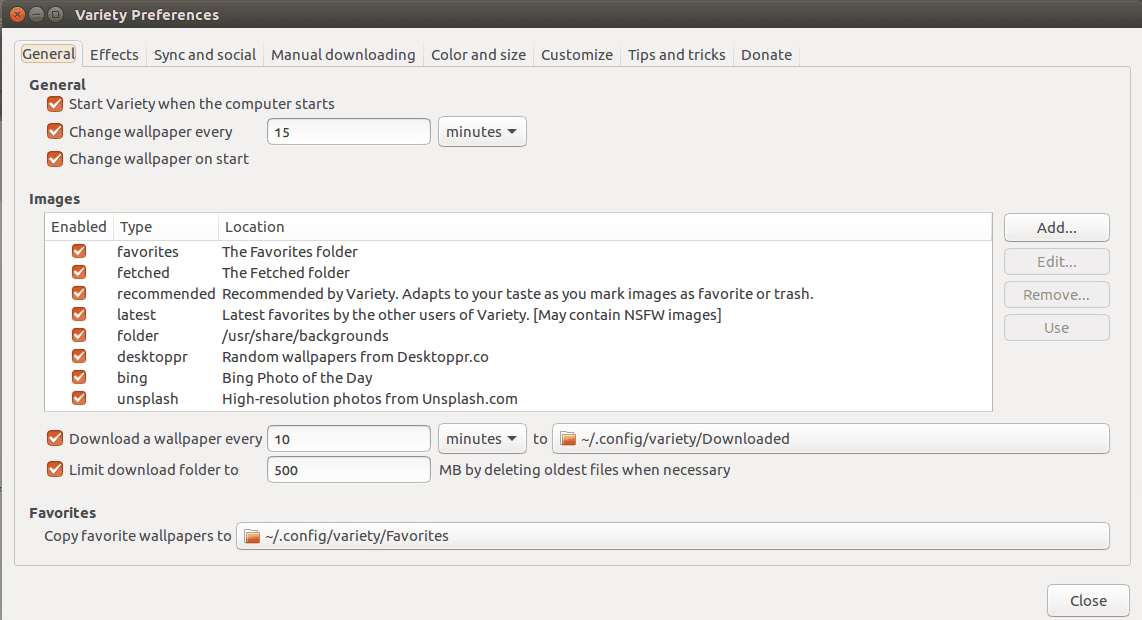
Variety Wallpaper Changer for Ubuntu
Variety Wallpaper Changer for Ubuntu Terminal ကိုဖွင့်ပါ။ ပြီးနောက် အောက်ပါ command တို့ကိုရိုက်ပါ ။ sudo add apt repository ppa:peterlevi/ppa sudo apt get update sudo apt get…
Chit Ko Ko1 min read
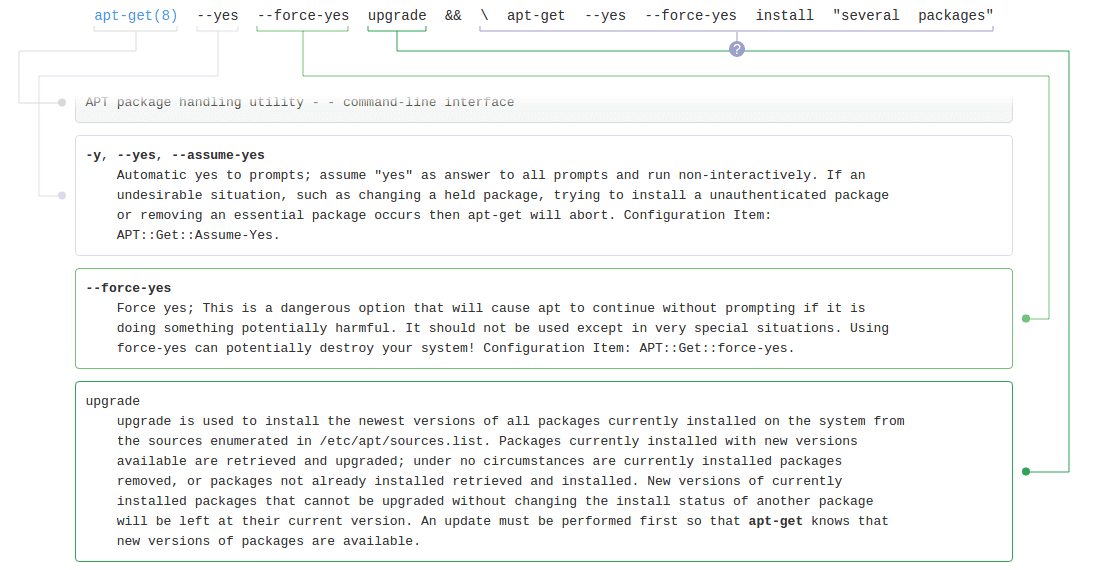
how to update, install and upgrade in Ubuntu Terminal ?
sudo bash apt get update && \ apt get –yes –force yes upgrade && \ apt get –yes –force yes install “several packages” && \ apt get autoclean && poweroff 1)sudo bash သာမန် sudo နဲ့…
Chit Ko Ko1 min read