
Variety Wallpaper Changer for Ubuntu

Chit Ko Ko
Contributor
1 min read
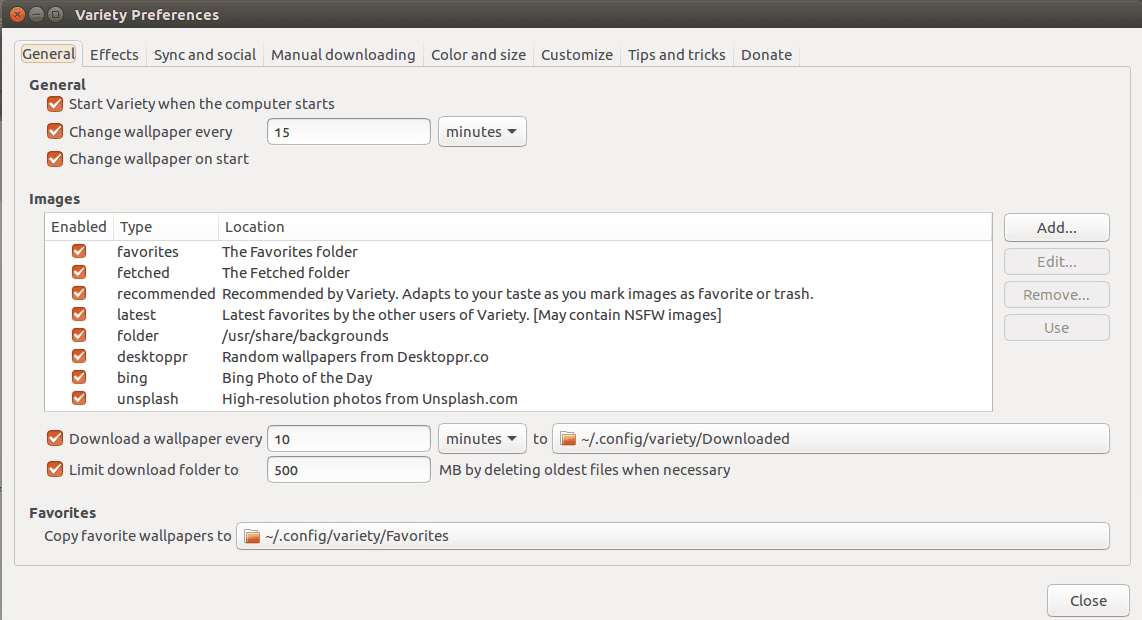
Variety Wallpaper Changer for Ubuntu
Terminal ကိုဖွင့်ပါ။ ပြီးနောက် အောက်ပါ command တို့ကိုရိုက်ပါ ။
sudo add-apt-repository ppa:peterlevi/ppa
sudo apt-get update
sudo apt-get install variety; sudo apt-get install -f
သွင်းပြီးနောက် Terminal တွင် အောက်ဖော်ပြပါ command ကို ရိုက်ပါ ။
variety
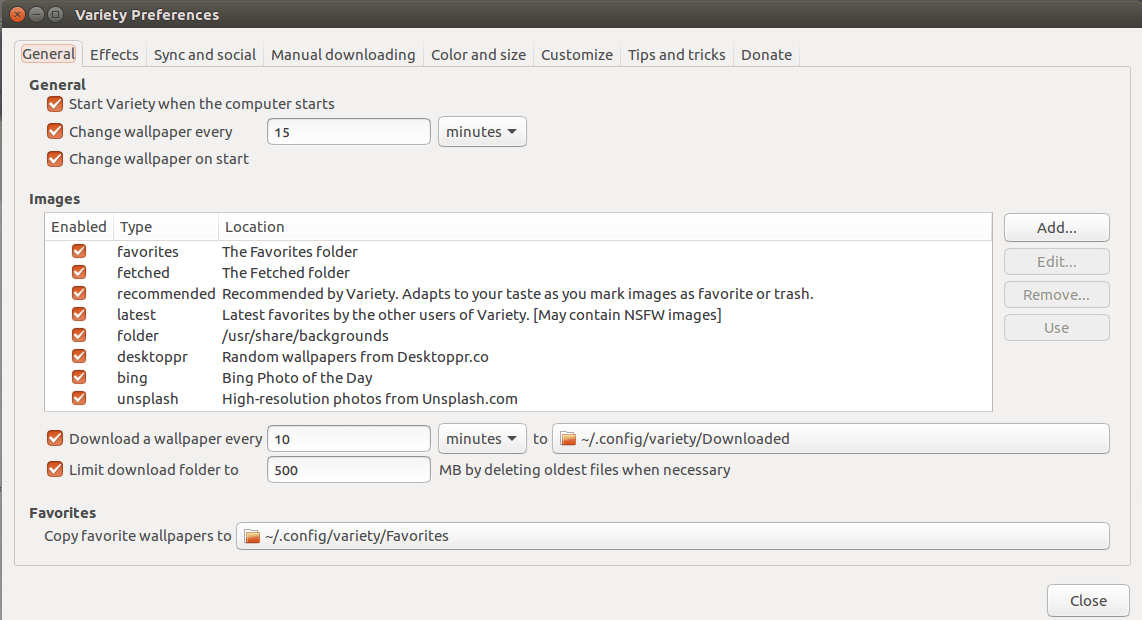
General Tab တွင် သင် လိုအပ်သလို အချိန် များ ၊ wallpaper source များကို ရွေးချယ်နိုင်ပါမည် ။
Tip and Trick တို့ကို နောက်ဆုံး ဒုတိယ Tab တွင်လေ့လာနိုင်ပါသည် ။
credit to :http://peterlevi.com/variety/
Related posts
Team Viewer 10 in Ubuntu 15.04
64bit Desktop များတွင် Team Viewer 10 ကို အောက်ပါအတိုင်း လွယ်ကူစွာ တင်နိုင်ပါသည် – sudo dpkg –add architecture i386; sudo apt get update; sudo apt get install gdebi sudo apt get…
 Chit Ko Ko
1 min read

Ubuntu Myanmar LoCo Team
Ubuntu Myanmar LoCo Team Ubuntu Myanmar LoCo Team Ubuntu Myanmar LoCo Team is an officially verified team by the Ubuntu Council established with the objective of providing support…
Chit Ko Ko2 min read

our community our team
Hello, Ubuntu Myanmar LoCo Team….. This morning was very pleasant day for all of your work done. Our team was reapproved this morning 2:00AM Myanmar Time for next couple of year.…
Chit Ko Ko2 min read