
How to Install Viber in Ubuntu 13.10 64bits?

Chit Ko Ko
Contributor
1 min read
Viber နဲ့ ပတ်သက်ပြီး အကျယ်တဝင့် မရှင်းပြတော့ ပါ ၊viber ကို Android, iOS, Windows Phone, Blackberry တို့တွင် VOIP (Voice over internet protocol) ဖြစ်ပြီး ယခု ထွက်လာသော version မှာ BETA Version ဖြစ်ပါသည်
Viber for Linux features:
-
HD quality voice calls;
-
video calls (desktop to desktop only);
-
text, photo and sticker messages;
-
group conversations;
-
full sync between the mobile and Linux clients;
-
transfer ongoing calls between devices;
-
no registration or password required.
Terminal မှ တဆင့် ထည့်သွင်း ရန်-
Dash > Terminal > type step by step
wget -O viber64-NoobsLab.com.deb http://goo.gl/wCKnDV
sudo dpkg -i viber64-NoobsLab.com.deb
sudo apt-get install -f
sudo apt-get update; sudo apt-get upgrade
နောက် တစ်နည်းကတော့ zip ဖိုင်ကို DOWNLOAD လုပ်ပါ ။

unzip viber.zip ပြီးနောက် အောက်ဖော်ပြပါ အတိုင်းဆက်လက်လုပ်ဆောင်ပါ-

သင့် မိုဘိုင်းဖုန်းတွင် viber application ထည့်သွင်းထားသလား၊မရှိပါက နောက်ဆုံး update version ကို install ပြုလုပ်ထားရပါမည် –

သင်၏ဖုန်းနံပါတ်ကိုဖြည့်ပါ-

သင်၏ ဖုန်းကိုပြန်ပို့သော Activation code ကို ရေးမှတ်ထားပြီးပြန်ဖြည့်ပါ-


ဤ ဖော်ပြပါ guide သည် Ubuntu 13.10 ပေါ်တွင် စမ်းသပ်ထည့်သွင်းထားခြင်းဖြစ်ပါသည် ။
Related posts

Viber ကို Ubuntu ပေါ်မှာ သုံးမယ်
Viber ကို portable နဲ ့.DEB နှစ်မျိုး ပေးထားပါတယ် 64bits ကို ပဲ support ပေးတယ်လို ့ပြောထားပါတယ်။ Portable အတွက် Ctrl+Alt+T ဆိုပြီး terminal ကို ဖွင့်ပြီး လို ့ wget ကို သုံး ပြီး…
 Saw Khaing
1 min read
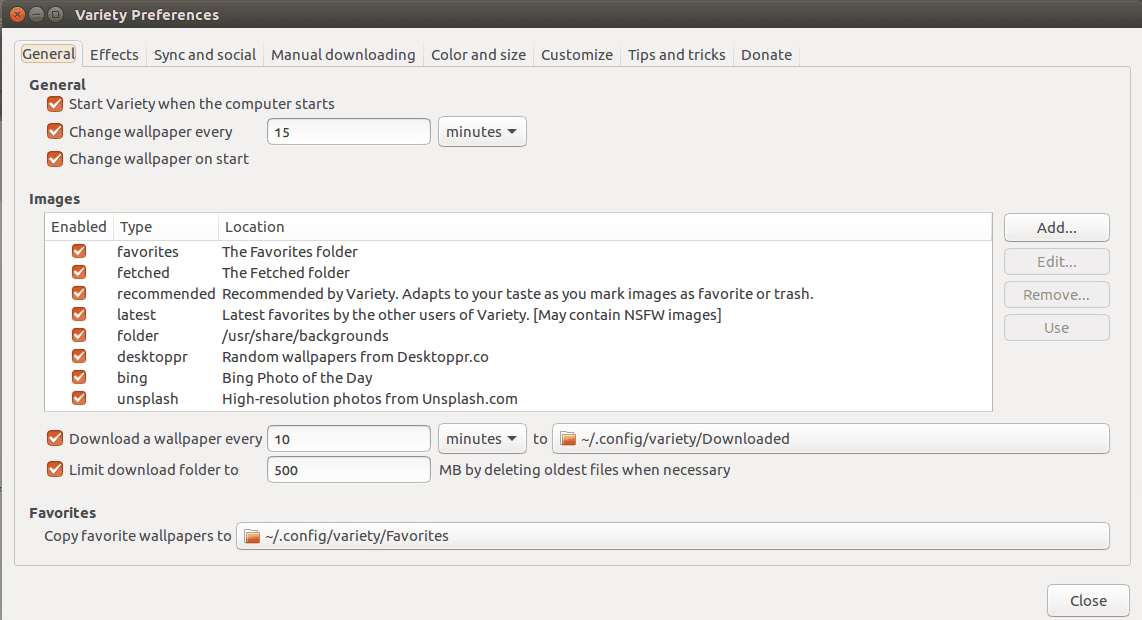
Variety Wallpaper Changer for Ubuntu
Variety Wallpaper Changer for Ubuntu Terminal ကိုဖွင့်ပါ။ ပြီးနောက် အောက်ပါ command တို့ကိုရိုက်ပါ ။ sudo add apt repository ppa:peterlevi/ppa sudo apt get update sudo apt get…
 Chit Ko Ko
1 min read
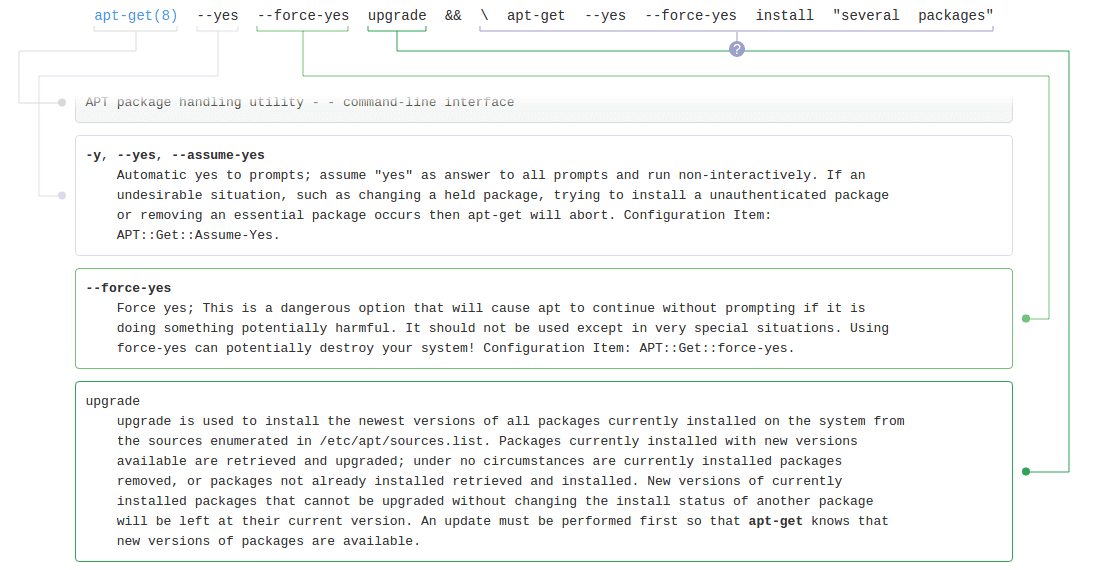
how to update, install and upgrade in Ubuntu Terminal ?
sudo bash apt get update && \ apt get –yes –force yes upgrade && \ apt get –yes –force yes install “several packages” && \ apt get autoclean && poweroff 1)sudo bash သာမန် sudo နဲ့…
Chit Ko Ko1 min read